

Comparison
iLovePDF vs PDF Candy: which free PDF tool offers more?
iLovePDF and PDF Candy are both free web-based PDF toolkits with similar feature sets. They look different and have different limits, but both aim to make common PDF tasks simple. Here is a detailed comparison, plus why File Studio might be the smarter long-term choice.
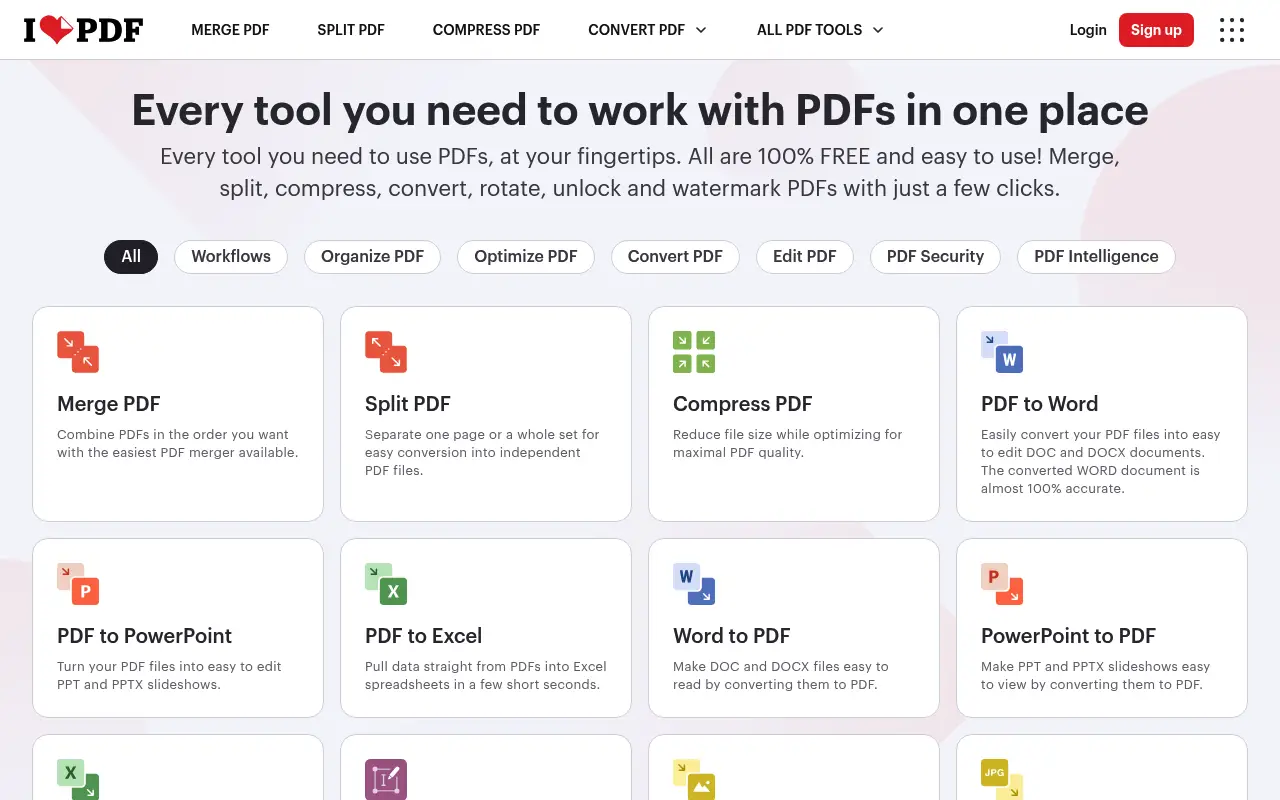
What is iLovePDF?
iLovePDF has established itself as one of the top free PDF tools online. It covers merging, splitting, compressing, converting, rotating, watermarking, unlocking, and page numbering. The colorful, card-based interface makes it easy to find the right tool.
The Premium plan at about $7/month removes file size limits, adds batch processing, and provides a desktop app. iLovePDF has a strong reputation and a large user base.
What is PDF Candy?
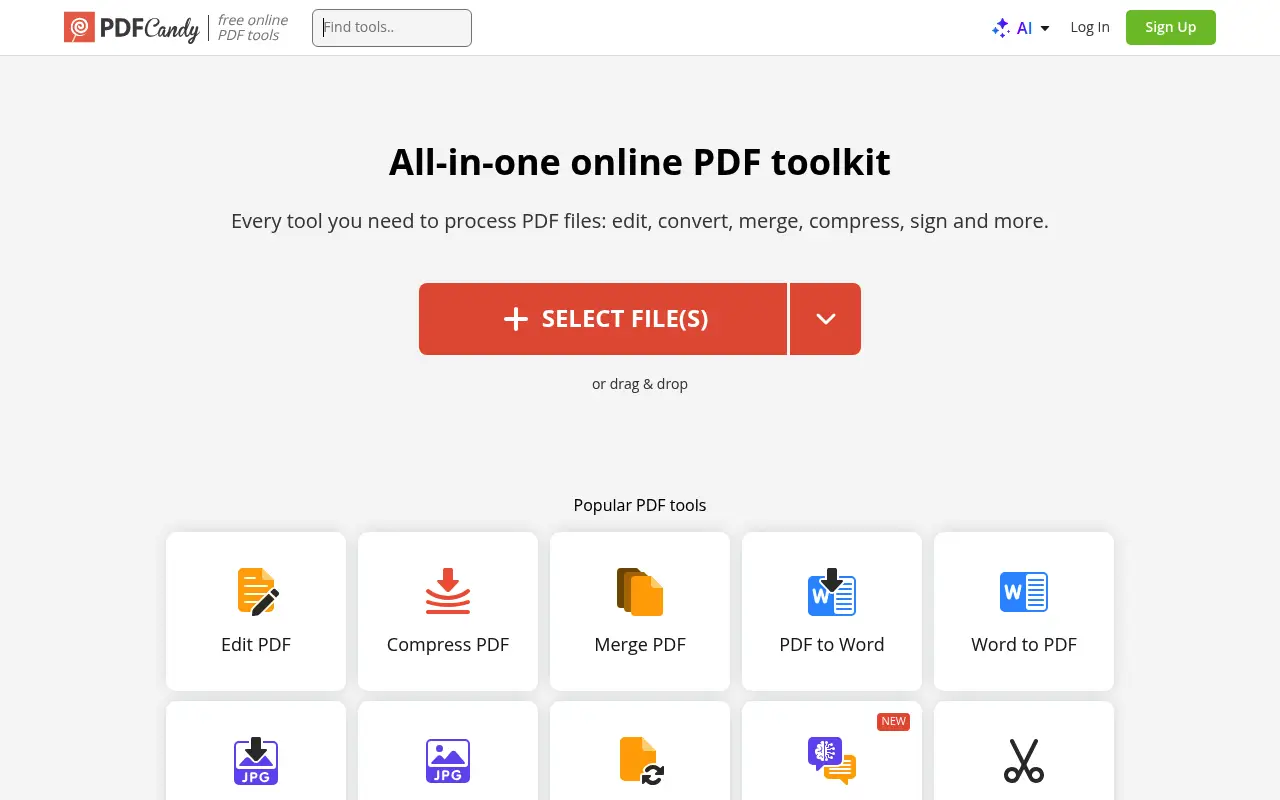
PDF Candy, made by Icecream Apps, is a web-based PDF tool with over 40 individual tools for working with PDFs. It covers all the basics (merge, split, compress, convert) plus some extras like adding page numbers, extracting images, and rearranging pages.
PDF Candy also offers a Windows desktop application that processes files locally, which is a notable advantage for privacy. The free web version has hourly task limits and file size restrictions.
Pricing is around $6/month (annual) for the Premium web version. The desktop app can be purchased separately as a one-time license.
A closer look at iLovePDF
iLovePDF pricing and plans
iLovePDF Premium at $7/month billed annually ($84/year) removes all restrictions on the platform. The free tier allows limited daily operations with a 25 MB file size cap. Premium includes batch processing, higher file size limits, and no ads on the interface.
For teams, the Business plan at $6/user/month adds admin controls and priority support. The API product extends functionality to developers with tiered pricing based on monthly request volume.
iLovePDF is transparent about its pricing, displaying costs clearly on its website. There are no hidden fees, per-page charges, or storage costs beyond the subscription price.
iLovePDF core strengths
Scale and reliability are iLovePDF's greatest assets. The platform processes millions of files daily with minimal downtime. Server infrastructure is distributed across multiple regions, ensuring fast upload and download speeds for users worldwide.
The tool ecosystem is mature and well-tested. Each individual tool has been refined through years of use and user feedback. Edge cases that crash or produce errors in newer platforms are handled gracefully by iLovePDF.
Documentation and help resources are comprehensive. Each tool includes a brief guide explaining its purpose, supported inputs, and expected outputs. This reduces confusion for first-time users and decreases support requests.
iLovePDF known limitations
The platform is purely web-based in its processing model. Even the desktop application routes files through iLovePDF servers. There is no option to process files locally, which is a dealbreaker for users in regulated industries or those handling highly sensitive data.
No inline text editing means you cannot modify existing content in a PDF. This limits iLovePDF to operations that work on the file as a whole (merge, split, compress) or add new elements (annotations, stamps) without changing what is already there.
The mobile app experience, while functional, does not fully replicate the web experience. Some advanced tools are not available on mobile, and the upload process over cellular connections can be slow for larger files.
A closer look at PDF Candy
PDF Candy pricing and plans
PDF Candy offers a free tier with limited operations and file size caps. The Premium plan costs approximately $6 per month billed annually ($72/year) or $9 month-to-month. This makes it one of the cheapest paid web-based PDF platforms available.
A unique offering is the PDF Candy Desktop application for Windows, available as a perpetual license for around $50. This desktop app processes files locally without uploading to servers, addressing the privacy concern that many web tools share.
There are no team plans or API access. PDF Candy is designed for individual users who need straightforward PDF and file conversion tools without enterprise complexity.
PDF Candy core strengths
PDF Candy's Windows desktop application provides genuine offline processing. Unlike iLovePDF's desktop app (which still uses cloud processing), PDF Candy Desktop handles everything locally. For Windows users who need offline PDF tools, this is a legitimate advantage.
The format conversion range is broad. PDF Candy supports conversions between PDF and formats like Word, Excel, PowerPoint, JPG, PNG, BMP, TIFF, EPUB, and HTML. It also offers reverse conversions from these formats into PDF, making it a versatile conversion hub.
The interface is simple and uncluttered. Each tool has its own page with clear instructions and a single upload area. There are fewer distractions than iLovePDF's ad-supported interface, which some users prefer.
PDF Candy known limitations
PDF Candy's processing quality can be inconsistent across different tools. While basic operations like merge and split work reliably, format conversions (especially PDF to Word) sometimes produce results with formatting issues, particularly for complex documents.
The platform is less well-known and has a smaller server infrastructure than iLovePDF. During peak usage, processing times can increase, and occasional timeouts have been reported by users working with larger files.
The desktop application is Windows-only. Mac and Linux users are limited to the web version, which does not offer offline processing. This limits PDF Candy Desktop's appeal to the Windows user base.
Feature comparison
iLovePDF vs PDF Candy vs File Studio
| Feature | iLovePDF | PDF Candy | File Studio |
|---|---|---|---|
| Pricing | Free; Premium ~$7/month (annual) | Free; Premium ~$6/month (annual); desktop app sold separately | $29 one-time or $9.97/year |
| Number of tools | ~25 PDF tools | 40+ PDF tools | Core PDF tools plus full image editing suite |
| Works offline | Desktop app available but cloud-dependent | Windows desktop app works offline | Fully offline on Mac and Windows |
| Privacy / files stay local | Files uploaded to servers | Web: uploaded; Desktop: local | Files never leave your device |
| Platform support | Web, iOS, Android, desktop (Mac/Windows) | Web, Windows desktop app | Mac and Windows desktop app |
| Free tier limits | Daily task limits; 25 MB file size cap | Hourly task limits; file size restrictions | No free tier; no limits after purchase |
| Batch processing | Premium only | Premium and desktop app | Unlimited batch processing included |
| Image tools | Basic image-to-PDF | Image conversion and extraction from PDFs | Full image toolkit: resize, compress, convert, watermark, crop |
Verdict
Which tool should you pick?
Both tools cover the basics well. PDF Candy has more individual tools and a genuine offline desktop app for Windows. iLovePDF has a more polished interface, better mobile support, and a larger community. For Windows users who value privacy, PDF Candy's desktop app is worth looking at. For a cross-platform offline solution with both PDF and image tools, File Studio is the most well-rounded option.
Pricing breakdown
What you actually pay over time
iLovePDF Premium at $84/year and PDF Candy Premium at $72/year are close in price, with PDF Candy offering a slight edge at $12 less per year. Over three years, iLovePDF costs $252 versus PDF Candy's $216, a saving of $36 with PDF Candy. The small difference means features and experience matter more than price in this comparison.
PDF Candy's Windows desktop app at around $50 perpetual is a compelling option for Windows users who want offline processing. Paired with occasional web use on the free tier, it provides a cost-effective solution. iLovePDF does not offer a comparable offline product.
File Studio at $29 once or $9.97/year is cheaper than both and works on both Mac and Windows. It provides offline processing similar to PDF Candy Desktop but with cross-platform support and image editing tools included. Over three years, File Studio saves $187 versus PDF Candy's subscription and $223 versus iLovePDF.
For users considering the total toolkit, File Studio's image editing capabilities (resize, compress, convert, watermark, crop) add value that neither iLovePDF nor PDF Candy match. The combined cost of PDF Candy's web subscription plus a separate image editor would exceed File Studio's one-time price.
Decision guide
Which tool should you pick?
You need a broad range of PDF tools with proven reliability
Pick iLovePDF. iLovePDF's larger infrastructure, longer track record, and more refined tool set make it the safer choice for consistent, everyday PDF processing.
You are a Windows user who needs offline PDF processing on a budget
Pick PDF Candy. PDF Candy Desktop at around $50 perpetual provides genuine offline processing on Windows. It is cheaper than Sejda's desktop option and does not require a subscription.
You need PDF tools and image tools in one application
Pick File Studio. File Studio combines PDF operations with comprehensive image editing at $29. Neither iLovePDF nor PDF Candy offers comparable image processing capabilities.
You need cross-platform offline processing (Mac and Windows)
Pick File Studio. PDF Candy Desktop is Windows-only, and iLovePDF processes files in the cloud on all platforms. File Studio works offline on both Mac and Windows.
You need an API for automated PDF processing
Pick iLovePDF. iLovePDF offers a REST API with free and paid tiers for programmatic PDF operations. PDF Candy and File Studio do not provide API access.
The third option
Why File Studio might be a better fit
Works on both Mac and Windows, unlike PDF Candy's desktop app which is Windows-only.
One simple price ($29 or $9.97/year) covers everything, with no separate desktop app purchase.
Comprehensive image editing suite goes well beyond what either tool offers.
No hourly or daily task limits; process files whenever and however many you need.
Pricing
Simple, fair pricing.
All tools included. No hidden fees. Processing stays on your device.
Yearly
For short-term projects.
- 1 year of updates
- Image, PDF, SVG, and spreadsheet tools
- Works on Mac & Windows
- All processing done on device
Lifetime
One purchase. Keep it forever.
- Unlimited conversions forever
- 1 year of major updates
- Image, PDF, SVG, and spreadsheet tools
- Watch Folders & Automation
- macOS Notch Drop Zone
- Works on Mac & Windows
Team & Bulk Pricing
Lifetime seats with volume discounts. More seats, bigger discount.
15
lifetime seats
You save
$60
15% off the individual price
Enterprise
50+ seats with custom pricing, centralized license management, and priority support.
FAQ
Frequently asked questions
Does PDF Candy have a Mac app?→
No. PDF Candy's desktop application is Windows-only. Mac users are limited to the web version. File Studio supports both Mac and Windows.
Which tool has more PDF features?→
PDF Candy advertises over 40 PDF tools, making it slightly broader than iLovePDF's approximately 25 tools. Many of PDF Candy's extra tools are niche (like extracting images from PDFs), so the practical difference is smaller than the numbers suggest.
Are my files safe with these tools?→
Both services encrypt files during upload and delete them after processing. However, your files do travel to and from their servers. For truly private processing, use PDF Candy's desktop app or File Studio.
Can File Studio extract images from PDFs?→
File Studio focuses on document-level PDF operations (merge, split, compress, convert) and image editing. For extracting embedded images from PDFs, PDF Candy or a dedicated tool may be more suitable.
Which is the cheapest paid option?→
File Studio at $9.97/year is the most affordable. PDF Candy Premium is about $72/year and iLovePDF Premium is about $84/year. File Studio's $29 one-time option is the best value if you want to avoid subscriptions entirely.
@ayysoni · May 1, 2026
Related File Studio tools:
More comparisons: