

TinyPNG alternative
Compress images locally, without TinyPNG's upload limits.
TinyPNG is the gold standard for web image compression, and its results are excellent. But the free tier caps you at 500 images per month, files must be under 5 MB each, and every image gets uploaded to their servers. File Studio compresses images locally with no monthly caps and no file size limits.
Works 100% offline on both Windows and Mac.
TinyPNG
Requires internet and file uploads to work.
Why people use TinyPNG
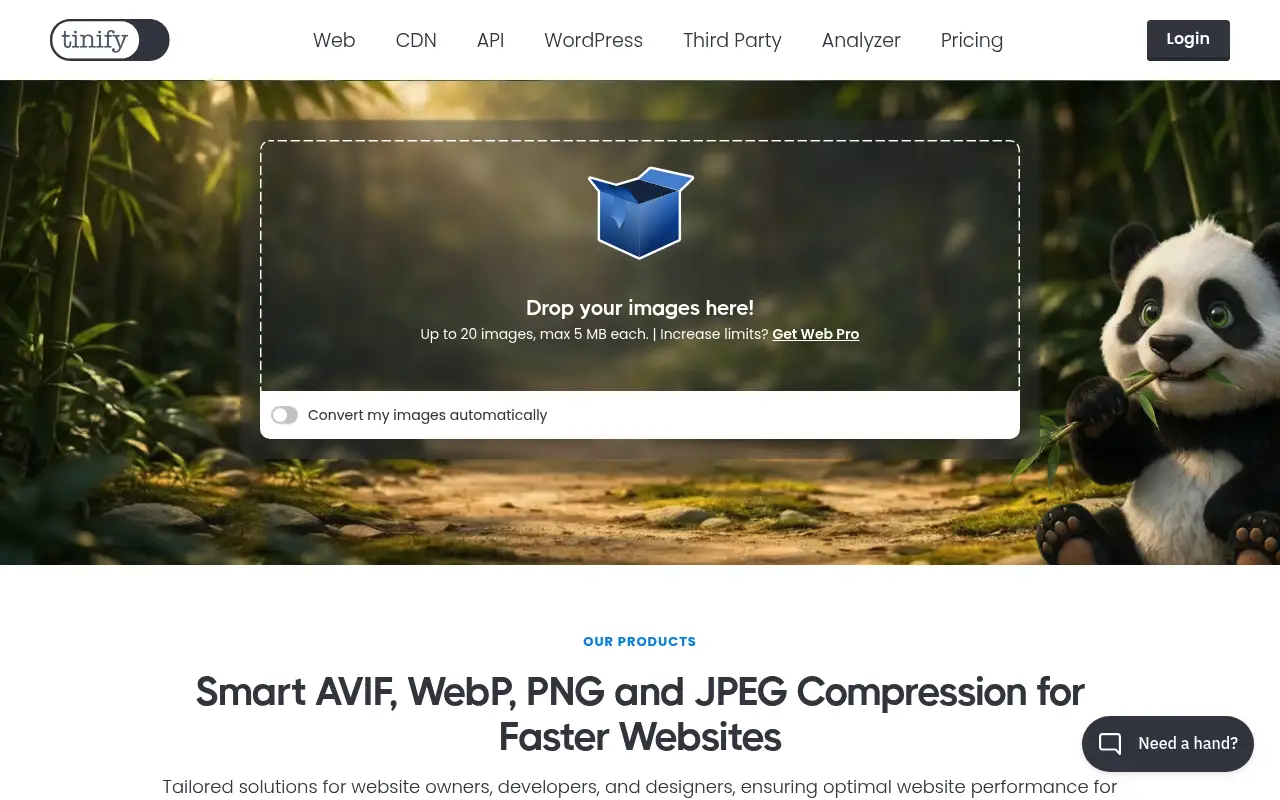
TinyPNG was created by Voormedia, a Dutch web development agency, and launched around 2014 as a specialized tool for compressing PNG images. The name and its friendly panda mascot became iconic in the web development community, where image optimization is a critical part of performance tuning. Over time, TinyPNG expanded to support JPEG, WebP, and AVIF compression, making it a go-to resource for anyone optimizing images for the web.
The service is especially popular among web developers, front-end engineers, and designers who need to reduce image file sizes without visible quality loss. TinyPNG uses smart lossy compression techniques that analyze each image and reduce the number of colors and data points in a way that is nearly imperceptible to the human eye. The results are genuinely impressive, often reducing PNG file sizes by 50 to 80 percent while maintaining visual quality that is difficult to distinguish from the original.
TinyPNG's ecosystem extends well beyond the web interface. There is a developer API for automated compression, plugins for WordPress, Magento, and other CMS platforms, a Photoshop plugin, and third-party integrations for various build tools. This ecosystem makes TinyPNG particularly valuable in professional web development workflows where image optimization needs to happen automatically as part of a deployment pipeline. The free tier allows 500 compressions per month with a 5 MB file size limit per image.
The limitations of TinyPNG become apparent for certain use cases. The 500-image monthly cap, while generous for casual use, is restrictive for e-commerce sites with large product catalogs or agencies managing multiple client projects. The 5 MB per-image limit excludes high-resolution photography and print-ready graphics. And every image is uploaded to TinyPNG's servers for processing, which matters for product photos, unreleased designs, and any images covered by NDAs or confidentiality agreements. File Studio provides local image compression alongside a broader set of image and PDF tools.
Another consideration is the scope of work. TinyPNG compresses images, and it does that extremely well. But most people who compress images also need to resize them, convert between formats, and sometimes add watermarks or combine images with documents. TinyPNG addresses only the compression step, leaving users to find separate tools for everything else. File Studio provides compression alongside format conversion, resizing, cropping, watermarking, collage creation, and a full set of PDF tools. For users whose image work extends beyond pure compression, the all-in-one approach eliminates the need to juggle multiple services.
Side-by-side comparison
File Studio vs TinyPNG
| Feature | TinyPNG | File Studio |
|---|---|---|
| Works offline | No, web-based (API and plugins available) | Yes, fully offline |
| Monthly limits | 500 free compressions/month; Pro removes limit | Unlimited compressions |
| File size limit | 5 MB per image (free); 75 MB (Pro) | No file size limits |
| Supported formats | PNG, JPEG, WebP, AVIF | PNG, JPEG, WebP, HEIC, and more |
| File privacy | Images uploaded to TinyPNG servers | Images never leave your device |
| Pricing model | Free tier; Pro at $39/year | $29 one-time or $15/year |
| Additional tools | Compression and resizing only | Compression, resizing, format conversion, cropping, watermarking, PDF tools |
| Developer API | Yes, with extensive integrations | No API (desktop app only) |
Why switch
What you get with File Studio instead
No 500-image monthly cap. Compress thousands of images without tracking usage.
Process images larger than 5 MB, including high-resolution photography and print-ready graphics.
Your images stay on your device, which matters for product photos, unreleased designs, and client work.
Includes format conversion, cropping, watermarking, collage creation, and PDF tools alongside compression.
One-time $29 payment is cheaper than TinyPNG Pro at $39/year over any period longer than nine months.
Pricing
TinyPNG's free tier is generous for light use, but the 500-image cap and 5 MB size limit can be restrictive for web developers and photographers. TinyPNG Pro costs $39 per year. File Studio's $29 one-time price includes not just compression but a full suite of image and PDF tools.
In-depth look
Feature breakdown: TinyPNG vs File Studio
PDF tools comparison
TinyPNG does not include any PDF tools. It is exclusively an image compression and optimization service. If you need to merge, split, compress, or convert PDFs, you need a separate tool entirely. This narrow focus is by design; TinyPNG does one thing and does it well.
File Studio includes a full set of PDF tools alongside its image features. You can merge PDFs, split them by page range, compress them to reduce file size, convert between PDF and image formats, and remove passwords from locked files. For users who need both image optimization and PDF manipulation, File Studio eliminates the need to use multiple separate tools.
The choice here depends on whether you need PDF tools at all. If your work is purely about image compression for the web, TinyPNG is a specialist. If you work with both images and PDFs, File Studio covers both domains in a single application. For web developers and content creators who handle both image optimization and PDF generation as part of their projects, having a single tool that addresses both needs simplifies the toolkit and reduces the number of services to manage.
Image handling
TinyPNG is a specialist in image compression, and its results are among the best available. The smart lossy compression algorithm analyzes each image individually and finds the optimal balance between file size and visual quality. PNG compression is particularly strong, leveraging the format's color palette in ways that generic compression tools do not. JPEG, WebP, and AVIF compression are also excellent. The API and CMS plugins allow automated compression in production workflows.
File Studio's image compression is strong for everyday use, producing well-optimized images for web and general purposes. For extreme PNG optimization at the smallest possible file sizes, TinyPNG may produce slightly smaller files. However, File Studio compensates with broader image capabilities: format conversion between JPG, PNG, WebP, and HEIC, batch resizing, cropping, watermarking, and collage creation. These features are not available in TinyPNG at all.
For web developers specifically, the choice may come down to workflow integration. If you need automated compression in a build pipeline, TinyPNG's API and plugins are purpose-built for that. If you need manual batch compression and editing before uploading images to a project, File Studio's desktop workflow is more hands-on and more versatile.
It is also worth noting the format conversion angle. TinyPNG compresses images in their existing format, but it does not convert between formats. If you want to convert a PNG to WebP for better web performance, you need a different tool. File Studio handles both compression and format conversion in the same workflow. You can take a folder of PNG images, convert them to WebP, and compress them simultaneously. This combined operation is common in web development workflows and eliminates the need for a separate conversion step after compression.
Privacy and data handling
TinyPNG processes images on their servers in the Netherlands. Uploaded images are deleted after a period that varies by plan tier. The free API stores compressed images for a limited time, while the Pro API provides longer retention for convenience. HTTPS is used for all transfers. For public-facing website images that are going to be published anyway, the privacy implications of uploading to TinyPNG are minimal.
The privacy question becomes more relevant for pre-release product images, unreleased design work, confidential client materials, or any images covered by non-disclosure agreements. Uploading these to a third-party server introduces a risk that local processing eliminates. Photographers, agencies, and product teams may prefer to keep unreleased work off external servers even when those servers are well-secured.
File Studio processes images entirely on your local machine. Whether you are compressing product photos before a launch, optimizing client deliverables, or preparing images for a personal project, nothing leaves your computer. The tradeoff is the lack of API access and CMS integrations, which are TinyPNG's strongest differentiators for automated workflows.
Honest take
What you give up by switching
- *TinyPNG's compression algorithms are widely considered best-in-class for PNG optimization, and may produce smaller files at equivalent quality compared to File Studio.
- *TinyPNG offers a developer API and plugins for WordPress, Magento, Photoshop, and build tools that File Studio does not provide.
- *TinyPNG supports AVIF compression, which File Studio does not currently offer.
- *TinyPNG's free tier of 500 compressions per month is sufficient for many personal and small-project use cases without any payment.
- *For automated build pipelines and CMS integration, TinyPNG's ecosystem has no equivalent in File Studio.
- *TinyPNG handles AVIF compression, a next-generation format that offers even better compression than WebP, which File Studio does not currently support.
Decision guide
Which tool is right for you?
You need automated image compression in a CI/CD pipeline or CMS
Use TinyPNG. Its API and CMS plugins are specifically designed for automated, hands-off compression in production environments.
You manually prepare and optimize images for websites, presentations, or client work
Use File Studio. Its batch compression, format conversion, resizing, and watermarking tools cover the full manual image preparation workflow.
You need to compress pre-release product images or confidential client materials
Use File Studio. Local processing keeps unreleased and confidential images off external servers entirely.
You work exclusively with web images and want the absolute best PNG compression ratios
Use TinyPNG. Its specialized algorithms are optimized specifically for web image compression, particularly PNG files.
Pricing
Simple, fair pricing.
All tools included. No hidden fees. Processing stays on your device.
Yearly
For short-term projects.
- 1 year of updates
- Image, PDF, SVG, and spreadsheet tools
- Works on Mac & Windows
- All processing done on device
Lifetime
One purchase. Keep it forever.
- Unlimited conversions forever
- 1 year of major updates
- Image, PDF, SVG, and spreadsheet tools
- Watch Folders & Automation
- macOS Notch Drop Zone
- Works on Mac & Windows
Team & Bulk Pricing
Lifetime seats with volume discounts. More seats, bigger discount.
15
lifetime seats
You save
$60
15% off the individual price
Enterprise
50+ seats with custom pricing, centralized license management, and priority support.
FAQ
Frequently asked questions
Does File Studio compress images as well as TinyPNG?→
TinyPNG uses excellent compression algorithms and is a leader in lossy PNG compression specifically. File Studio provides strong compression results for PNG, JPG, and WebP files. For most use cases, both produce images that are well-optimized for the web. TinyPNG may have a slight edge in PNG compression quality at extreme ratios.
I use TinyPNG's API in my build pipeline. Can File Studio replace it?→
No. File Studio is a desktop application without an API. For automated build pipelines, TinyPNG's API or command-line tools remain the right choice. File Studio is better suited for manual and batch compression workflows.
Can File Studio compress AVIF images like TinyPNG?→
File Studio focuses on PNG, JPG, WebP, and HEIC formats. AVIF support is not currently included. Check the File Studio website for the latest format support details.
Is File Studio useful for web developers?→
Yes. Web developers can use File Studio to batch-compress and convert images before uploading them to a website. It is especially useful for preparing images offline, converting between formats like PNG-to-WebP, and resizing for different breakpoints.
Does File Studio support WordPress or Shopify plugins like TinyPNG?→
No. File Studio is a standalone desktop app and does not integrate with CMS platforms. TinyPNG's plugins for WordPress, Magento, and other platforms are a unique advantage if you need automated on-upload compression.
@ayysoni · January 30, 2026
Related File Studio tools you might find useful:
Compare File Studio with other tools: