

Zamzar alternative
Skip the upload queue. Convert files locally instead of using Zamzar.
Zamzar has been a go-to online converter since 2006, and its simplicity is a real strength. But free users face a 50 MB limit and must wait for email delivery or download links. File Studio brings the same ease of use to your desktop, with no file size caps and instant local processing.
Works 100% offline on both Windows and Mac.
Zamzar
Requires internet and file uploads to work.
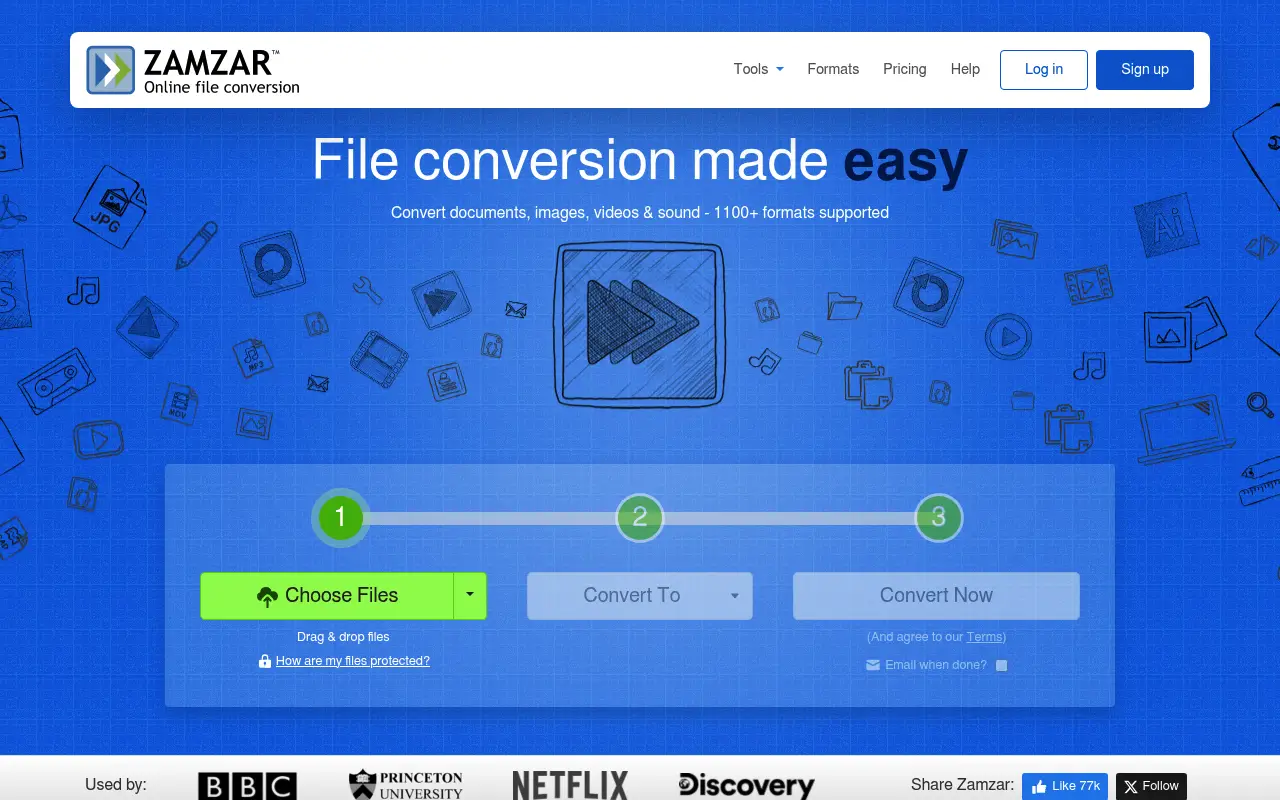
Why people use Zamzar
Zamzar is one of the oldest online file conversion services, founded in 2006 by brothers Mike and Chris Sherwood in the United Kingdom. The name comes from Gregor Samsa, the protagonist of Kafka's Metamorphosis, reflecting the service's mission to transform files from one format to another. In the early days of the web, when installing conversion software was often complicated and expensive, Zamzar provided a revolutionary alternative: upload a file, choose a format, and get your converted file by email.
Over nearly two decades, Zamzar has grown to support over 1,200 file formats, spanning documents, images, audio, video, ebooks, and compressed archives. Its target audience is broad, ranging from students who need to convert a homework assignment to professionals who occasionally need to transform a file between formats. Zamzar's appeal has always been its simplicity. The interface is minimal by design: drag in a file, pick a format, click convert. No accounts, no configuration, no learning curve.
Zamzar's pricing structure is tiered, with a free plan limited to 50 MB files and two conversions at a time, a Basic plan at $18 per month with 200 MB limits, a Pro plan at $30 per month with 400 MB limits, and a Business plan at $70 per month with 2 GB limits. These prices are notably higher than most competing services, which positions Zamzar as a premium option despite its simple feature set. The free tier is quite restrictive, and the jump to $18 per month for basic paid access is steep.
The privacy considerations follow the standard pattern for online converters. Files are uploaded to Zamzar's servers, processed, and made available for download. Zamzar states that files are stored for 24 hours on paid plans and then deleted. The service operates under UK data protection laws. For non-sensitive files, this is fine. For anyone working with confidential documents, the upload requirement is a fundamental concern that no retention policy can fully address. File Studio offers the same core conversion convenience with local processing and a one-time price that is less than a single month of Zamzar's cheapest paid plan.
Zamzar's pricing is also worth examining in context. The Basic plan at $18 per month costs $216 per year, and the Pro plan at $30 per month reaches $360 per year. These are significant ongoing costs for a file conversion service. File Studio's $29 one-time payment provides unlimited conversions for life. Even comparing against just two months of Zamzar's cheapest plan, File Studio is more economical. For users who convert files regularly rather than once in a blue moon, the financial case for File Studio is straightforward.
Side-by-side comparison
File Studio vs Zamzar
| Feature | Zamzar | File Studio |
|---|---|---|
| Works offline | No, web-based only | Yes, fully offline |
| File size limits | 50 MB free; 200 MB on Basic plan; 2 GB on Pro | No file size limits |
| File privacy | Files uploaded to Zamzar servers | Files never leave your device |
| Conversion speed | Depends on upload speed and server queue | Instant, local processing |
| Pricing model | Free tier; plans from $18/month to $70/month | $29 one-time or $15/year |
| Format support | 1,200+ formats including audio, video, and documents | PDF, image formats (JPG, PNG, WebP, HEIC, SVG), and CSV |
| Batch processing | Limited on free tier; higher tiers allow more | Unlimited batch processing |
Why switch
What you get with File Studio instead
No 50 MB file cap. Convert large PDFs and high-resolution images without worrying about size restrictions.
Results are available instantly since files are processed locally, with no waiting for email delivery or server queues.
One-time payment of $29 versus Zamzar's monthly plans that start at $18 per month.
Confidential files never leave your computer, which is critical for legal, medical, and financial documents.
Batch convert entire folders of images or PDFs in a single operation without per-file delays.
Pricing
Zamzar's free plan is limited to 50 MB files and a few conversions per day. Paid plans range from $18 to $70 per month. File Studio's one-time $29 fee gives you unlimited conversions with no file size restrictions. Even one month of Zamzar's Basic plan costs more than a lifetime of File Studio.
In-depth look
Feature breakdown: Zamzar vs File Studio
PDF tools comparison
Zamzar's PDF capabilities are centered on conversion rather than manipulation. You can convert PDFs to Word, Excel, PowerPoint, images, and various other formats, and you can convert many formats into PDF. However, Zamzar does not offer dedicated tools for merging PDFs, splitting PDFs, or compressing PDFs. If you need to combine three PDFs into one or extract pages from a document, Zamzar cannot help. Its strength is purely in format conversion.
File Studio covers PDF conversion, but it also includes merging, splitting, compressing, and password removal. These manipulation tools are purpose-built with visual interfaces: drag-and-drop reordering for merges, page range selection for splits, and compression level controls. For users who need more than just format conversion, File Studio is a more complete PDF toolkit.
Conversion quality between the two is comparable for common format pairs like PDF-to-JPG. Zamzar has the advantage in breadth, supporting conversion paths like PDF-to-EPUB or PDF-to-HTML that File Studio does not. File Studio has the advantage in speed, since local processing eliminates the upload and download time that Zamzar requires.
File size restrictions create another practical dividing line. Zamzar's free tier caps files at 50 MB, which excludes many real-world documents. A presentation with embedded graphics, a scanned contract, or a photo-heavy report can easily exceed 50 MB. Upgrading to Zamzar's Basic plan at $18 per month raises the limit to 200 MB, which is still restrictive for some use cases. File Studio has no file size restrictions at all. You can process a 500 MB PDF or a batch of high-resolution photos without encountering any limits.
Image handling
Zamzar supports a wide range of image format conversions, including JPG, PNG, GIF, BMP, TIFF, WebP, SVG, ICO, and many others. You can convert between nearly any image format pair, which is genuinely useful for edge cases like converting a BMP screenshot to PNG or a TIFF scan to JPG. However, Zamzar offers no image editing capabilities. There is no resizing, no compression, no cropping, and no watermarking. It is purely a format converter.
File Studio's image toolkit goes well beyond format conversion. In addition to converting between JPG, PNG, WebP, HEIC, and other formats, it includes tools for compressing images to target file sizes, resizing images with aspect ratio controls, cropping, adding text or image watermarks, and creating collages. For someone whose image work involves more than just changing file types, File Studio is the more capable tool.
The tradeoff is format coverage. Zamzar handles dozens of image formats that File Studio does not support, including older and less common formats. If you need to convert a PCX file or a TGA image, Zamzar is the better option. For the formats that represent 95% of real-world image work, File Studio covers the bases and adds editing features that Zamzar lacks.
For web developers and content creators, the most relevant image operations are converting between JPG, PNG, and WebP, compressing for page speed, and resizing for responsive layouts. File Studio handles all of these with batch support, which is far more practical than converting files one at a time through Zamzar's web interface. The ability to apply consistent settings across an entire batch of images, then output them to a specific folder with controlled naming, is a workflow that online converters simply cannot replicate efficiently.
Privacy and data handling
Zamzar's privacy policy states that files are stored on their servers for up to 24 hours on paid plans, after which they are automatically deleted. Free users may see different retention periods. The service uses HTTPS for file transfers and operates under UK and EU data protection regulations. Zamzar also offers an enterprise API with dedicated infrastructure for businesses with higher security requirements.
The privacy concern with Zamzar is the same as with all online converters: your files must be uploaded to and processed by a third party. For casual conversions of non-sensitive files, this is a reasonable tradeoff. For professional use cases involving client data, financial records, or proprietary information, the upload step is the weak link in the chain. Even with strong server-side security, the data is exposed during transfer and temporary storage.
File Studio's local processing model means your files remain on your hardware throughout the entire conversion process. There is no upload, no external server, and no retention period to worry about. For users who prioritize privacy, this is a significant advantage. For users who prioritize format breadth and device flexibility, Zamzar's cloud approach is more versatile.
Honest take
What you give up by switching
- *Zamzar supports over 1,200 file formats including audio, video, and specialized document types that File Studio cannot convert.
- *Zamzar works from any web browser on any device, while File Studio requires installation on a Mac or Windows PC.
- *Zamzar can convert between document formats like DOCX-to-PDF and PDF-to-EPUB that File Studio does not handle.
- *Zamzar requires no installation, making it useful for quick conversions on shared or public computers.
- *Zamzar's free tier allows basic conversions without any payment, though the 50 MB limit is restrictive.
Decision guide
Which tool is right for you?
You need to convert between unusual file formats like audio, video, or legacy document types
Use Zamzar. Its 1,200+ format library covers nearly every conversion path imaginable.
You regularly convert and manipulate PDFs and images and want a one-time cost
Use File Studio. Its $29 price is less than a single month of Zamzar's Basic plan, and it includes PDF tools that Zamzar lacks.
You are on a public or shared computer and need a quick conversion without installing anything
Use Zamzar. Browser-based access is its strength, and for a one-off task on a non-personal machine, the cloud processing is acceptable.
You work with confidential files and need to ensure they never leave your device
Use File Studio. Local processing eliminates any risk associated with uploading files to external servers.
Pricing
Simple, fair pricing.
All tools included. No hidden fees. Processing stays on your device.
Yearly
For short-term projects.
- 1 year of updates
- Image, PDF, SVG, and spreadsheet tools
- Works on Mac & Windows
- All processing done on device
Lifetime
One purchase. Keep it forever.
- Unlimited conversions forever
- 1 year of major updates
- Image, PDF, SVG, and spreadsheet tools
- Watch Folders & Automation
- macOS Notch Drop Zone
- Works on Mac & Windows
Team & Bulk Pricing
Lifetime seats with volume discounts. More seats, bigger discount.
15
lifetime seats
You save
$60
15% off the individual price
Enterprise
50+ seats with custom pricing, centralized license management, and priority support.
FAQ
Frequently asked questions
Zamzar supports over 1,200 formats. Why choose File Studio?→
If you regularly convert audio, video, or niche document formats, Zamzar's breadth is valuable. But if your work revolves around PDFs and images, File Studio handles those formats well and does so offline, privately, and without ongoing costs.
Is File Studio as easy to use as Zamzar?→
Yes. File Studio uses a simple drag-and-drop interface. Select your files, pick the output format, and convert. The workflow is straightforward, just like Zamzar's web interface.
Can I convert Word documents to PDF with File Studio?→
File Studio focuses on PDF manipulation and image conversions. For Word-to-PDF conversion, a word processor like Microsoft Word or LibreOffice is typically the most reliable option.
Does Zamzar store my files?→
Zamzar says files are stored temporarily on their servers for download. The exact retention period depends on your plan. File Studio sidesteps this concern entirely since nothing is uploaded.
Can File Studio convert video files like Zamzar?→
No. File Studio does not support audio or video conversion. It focuses on PDFs and images. For video conversion, a dedicated tool like HandBrake or FFmpeg is a better option.
Is there a way to try File Studio before buying?→
Check the File Studio website for current trial or demo options. The $29 one-time price makes it a low-risk purchase compared to committing to a monthly Zamzar subscription.
@ayysoni · January 21, 2026
Related File Studio tools you might find useful:
Compare File Studio with other tools: