

PDF Expert alternative
A lighter, more affordable alternative to PDF Expert with image tools included.
PDF Expert is a well-designed Mac app for reading and editing PDFs, and its annotation tools are excellent. But at $80/year, it is a significant ongoing cost. File Studio offers core PDF tools plus comprehensive image features for a one-time $29 payment, and it works on Windows too.
Works 100% offline on both Windows and Mac.
PDF Expert
Requires internet and file uploads to work.
Why people use PDF Expert
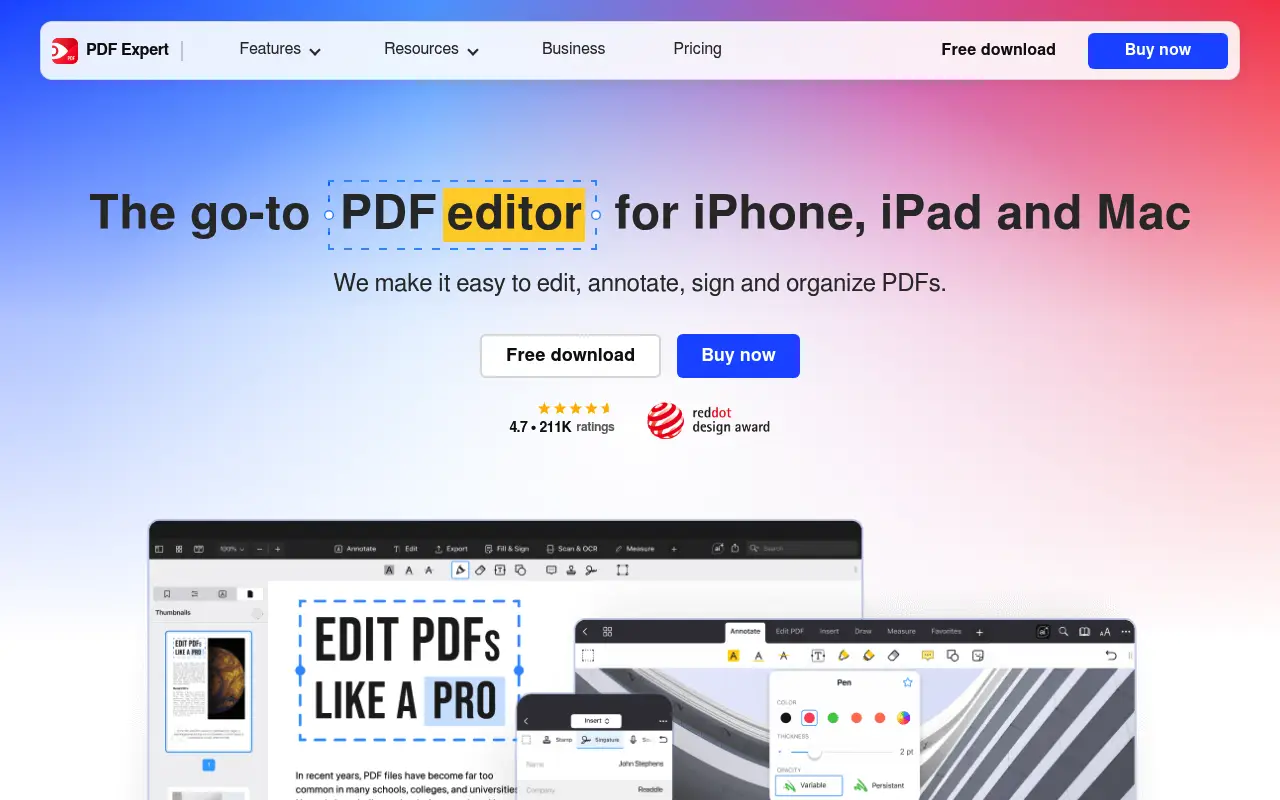
PDF Expert is a PDF application developed by Readdle, a Ukrainian software company known for its polished productivity apps for Apple platforms. First released for iPad and iPhone, PDF Expert expanded to macOS and quickly became one of the most popular PDF apps on the Mac App Store. It has won Apple's App of the Year award and is widely regarded as the best PDF reading and editing experience on Apple devices.
PDF Expert is designed for people who spend significant time working inside PDF documents. Its reading interface is fast and fluid, with smooth scrolling, tabbed document browsing, split-screen viewing, and a robust set of annotation tools including highlights, underlines, strikethrough, stamps, text notes, freehand drawing, and shape tools. For academics, lawyers, and anyone who reviews and annotates documents extensively, PDF Expert feels like it was built specifically for their workflow.
Beyond reading and annotation, PDF Expert offers inline text editing, which lets you modify existing text in a PDF, change fonts, adjust sizing, and edit images within the document. It also handles merging, splitting, and compressing PDFs. The form-filling support covers interactive PDF forms with text fields, checkboxes, and signature fields. These capabilities make it a genuine PDF editor, not just a viewer with markup tools.
The cost is $79.99 per year as a subscription, which places it in the mid-range of PDF editors. It is significantly less expensive than Adobe Acrobat but more expensive than lightweight tools. The platform limitation is notable: PDF Expert is available only on Mac and iOS. Windows users cannot use it at all. File Studio costs $29 for a lifetime license, works on both Mac and Windows, and includes image tools that PDF Expert does not offer. The tradeoff is that File Studio is a conversion and manipulation tool rather than a reading and editing environment.
Many users find themselves using PDF Expert primarily for merging, splitting, and basic operations rather than its advanced editing features. For these users, the $80 annual subscription is expensive relative to the capabilities they actually use. If your PDF workflow centers on annotation and long-form reading, PDF Expert earns its price. If your workflow centers on combining, converting, and optimizing files, File Studio covers those tasks for a one-time payment that is less than half of one year of PDF Expert.
Side-by-side comparison
File Studio vs PDF Expert
| Feature | PDF Expert | File Studio |
|---|---|---|
| Platform support | Mac and iOS only | Mac and Windows |
| PDF annotation | Excellent: highlights, notes, stamps, signatures | Basic annotations |
| PDF text editing | Yes, inline text editing | Not available |
| Pricing model | $79.99/year subscription | $29 one-time or $15/year |
| Image tools | None | Convert, resize, compress, watermark, collage, HEIC conversion |
| Merge and split PDFs | Yes | Yes |
| PDF compression | Yes | Yes |
| PDF reading experience | Premium reading interface with tabs and bookmarks | Focused on conversion and manipulation, not reading |
Why switch
What you get with File Studio instead
Save over $50 per year compared to PDF Expert's subscription model.
Works on Windows as well as Mac, so you are not limited to Apple devices.
Includes a full set of image tools that PDF Expert does not offer at all.
No subscription to manage or renew. One payment, permanent access.
Lighter and faster for batch operations like merging, splitting, and converting.
Pricing
PDF Expert costs $79.99 per year. File Studio costs $29 once or $15 per year. Over two years, PDF Expert costs $160 while File Studio costs $29 total with the lifetime option. PDF Expert is a better PDF reader and editor, but File Studio is the better value if your primary needs are conversion, merging, and image work.
In-depth look
Feature breakdown: PDF Expert vs File Studio
PDF tools comparison
PDF Expert's PDF capabilities span reading, annotation, editing, merging, splitting, compressing, and form filling. The annotation toolkit is one of the richest available, with highlight colors, underline and strikethrough options, stamps, text comments, shapes, freehand drawing, and signature placement. The inline text editor lets you click on existing text and modify it, including changing the content, font, size, and color. Form filling supports interactive PDF forms with various field types.
File Studio focuses on the structural operations: merging multiple PDFs, splitting by page range, compressing to reduce file size, converting between PDF and image formats, and removing passwords. It includes basic annotations but does not match PDF Expert's annotation depth. There is no inline text editing or form filling in File Studio.
The two products serve different primary needs. PDF Expert is for people who read, annotate, and edit PDFs as a core part of their work. File Studio is for people who need to combine, reorganize, convert, and optimize PDFs as part of a broader file management workflow. There is overlap in merging and splitting, but the emphasis is different.
Price and platform support create a clear decision point. PDF Expert costs $79.99 per year and is available only on Apple platforms. File Studio costs $29 once and works on both Mac and Windows. For Mac users who are committed to the Apple ecosystem and who primarily read and edit PDFs, PDF Expert's premium experience may be worth the ongoing cost. For anyone who also uses Windows, who needs image tools, or who wants to avoid a subscription, File Studio offers comparable core operations at a dramatically lower total cost.
Image handling
PDF Expert does not include image tools. It works exclusively with PDF documents. If you need to convert, resize, compress, or watermark images, you need a separate application. On macOS, Preview handles basic image tasks, but for batch operations or format conversions like HEIC-to-JPG, you need a dedicated tool.
File Studio includes a full image toolkit: format conversion between JPG, PNG, WebP, HEIC, and others; image compression with quality controls; batch resizing with aspect ratio preservation; cropping; watermarking with text and image overlays; and collage creation. For Mac users who currently rely on PDF Expert for PDFs and Preview for basic image work, File Studio can handle the image tasks that Preview struggles with, such as batch conversion and dedicated compression.
For users who work with both documents and images, having PDF tools and image tools in a single application reduces the number of apps they need to keep open and switch between. File Studio fills the image gap that PDF Expert leaves entirely unaddressed.
The workflow implications are meaningful in practice. A marketing professional who annotates PDF briefs in PDF Expert and then needs to resize, compress, and watermark campaign images must switch to a completely different application (or web service) for the image work. With File Studio, the transition from PDF tasks to image tasks happens within the same window. While this does not make File Studio better at PDF reading and annotation, it does make it a more versatile overall tool for people whose work spans both file types.
Privacy and data handling
PDF Expert processes files locally on your Mac or iOS device. There is no cloud upload required for core PDF operations. Readdle does offer some cloud integration features for syncing documents across devices, but the core editing and annotation work happens on-device. This is a strong privacy position that is comparable to File Studio's approach.
The main difference in the privacy discussion is not about how files are processed but about the overall value proposition. Both tools process files locally. PDF Expert costs $79.99 per year and is Mac/iOS only. File Studio costs $29 once and works on both Mac and Windows. Both keep your files on your device.
For users who prioritize local processing and are choosing between these two tools specifically, the decision comes down to whether you need PDF Expert's reading, annotation, and editing features, or whether File Studio's conversion, manipulation, and image tools better match your workflow. Privacy is a wash between the two.
Honest take
What you give up by switching
- *PDF Expert has a superior PDF reading experience with tabs, split view, and bookmarks that File Studio does not offer.
- *PDF Expert's annotation toolkit includes stamps, freehand drawing, shapes, and rich highlighting that File Studio's basic annotations cannot match.
- *PDF Expert supports inline text editing in PDFs, letting you modify existing content, which File Studio does not provide.
- *PDF Expert works on iPad and iPhone, providing mobile PDF editing that File Studio's desktop-only approach cannot offer.
- *PDF Expert's form-filling feature handles interactive PDF forms with text fields and signatures, which File Studio lacks.
Decision guide
Which tool is right for you?
You spend significant time reading, annotating, and editing PDF documents on a Mac or iPad
Use PDF Expert. Its reading experience, annotation tools, and text editing capabilities are specifically designed for this workflow.
You need PDF and image tools at a lower cost and on both Mac and Windows
Use File Studio. It covers PDF manipulation and image processing for a one-time $29 on both platforms, compared to PDF Expert's $80/year on Apple devices only.
You primarily need to merge, split, compress, and convert PDFs rather than read and annotate them
Use File Studio. Its tools are focused on conversion and manipulation, which is a better match for this workflow than PDF Expert's editing-centric approach.
You need a dedicated PDF reader with a premium interface for long-form document review
Use PDF Expert. Its reading interface is one of the best available, with features like smooth scrolling, tabs, and split view that are optimized for extended reading.
Pricing
Simple, fair pricing.
All tools included. No hidden fees. Processing stays on your device.
Yearly
For short-term projects.
- 1 year of updates
- Image, PDF, SVG, and spreadsheet tools
- Works on Mac & Windows
- All processing done on device
Lifetime
One purchase. Keep it forever.
- Unlimited conversions forever
- 1 year of major updates
- Image, PDF, SVG, and spreadsheet tools
- Watch Folders & Automation
- macOS Notch Drop Zone
- Works on Mac & Windows
Team & Bulk Pricing
Lifetime seats with volume discounts. More seats, bigger discount.
15
lifetime seats
You save
$60
15% off the individual price
Enterprise
50+ seats with custom pricing, centralized license management, and priority support.
FAQ
Frequently asked questions
Is File Studio a good replacement for PDF Expert?→
It depends on your needs. If you spend a lot of time reading, annotating, and editing PDF text, PDF Expert is the superior tool. If you mainly merge, split, compress, and convert PDFs and also need image tools, File Studio covers those tasks at a much lower price.
Does File Studio work on iPad like PDF Expert?→
No. File Studio is a desktop application for Mac and Windows. PDF Expert's iOS app is a genuine strength if you need to work with PDFs on an iPad or iPhone.
Can File Studio sign PDFs?→
File Studio supports basic PDF annotation. For digital signatures and advanced signing workflows, PDF Expert or a dedicated e-signature tool would be more appropriate.
Why does PDF Expert cost so much more?→
PDF Expert is a full-featured PDF editor with advanced reading, annotation, and text-editing capabilities. File Studio focuses on the conversion and manipulation side of PDF work, which allows for a lower price point.
Can I switch from PDF Expert to File Studio easily?→
Yes. Both applications work with standard PDF files. You can start using File Studio immediately alongside or instead of PDF Expert. No migration or file conversion is needed.
@ayysoni · February 11, 2026
Related File Studio tools you might find useful:
Compare File Studio with other tools: